Every week, a student walks into Soft Pulse in Sargodha and asks the same question: “Should I learn React Native or Flutter?”
It is a fair question. Both frameworks promise cross-platform mobile apps — one codebase for iOS and Android — without hiring separate Swift and Kotlin teams. Both have passionate communities. Both power real apps in production.
What you rarely get online is a straight answer without marketing spin. This article is that comparison: practical, balanced, and written from the perspective of developers who actually ship mobile apps for clients — not forum debates from people who have never published to an app store.
Comparing frameworks is one piece of the puzzle. For the full picture of IT courses in Sargodha, read our Best IT Courses in Sargodha (2026 Complete Guide) or the focused React Native Course in Sargodha cluster article.
Introduction
Choosing a mobile framework in 2026 is not about picking the “winner” of a technology war. It is about matching a tool to your situation:
- Your existing skills (JavaScript? Dart? Nothing yet?)
- Your career goals (local job, remote work, freelancing, startup founder)
- The type of apps you want to build (MVPs, fintech, e-commerce, social)
- How much time you can invest in learning
React Native uses JavaScript and React. Flutter uses Dart and a custom rendering engine. That single difference affects hiring, learning resources, performance characteristics, and how teams work day to day.
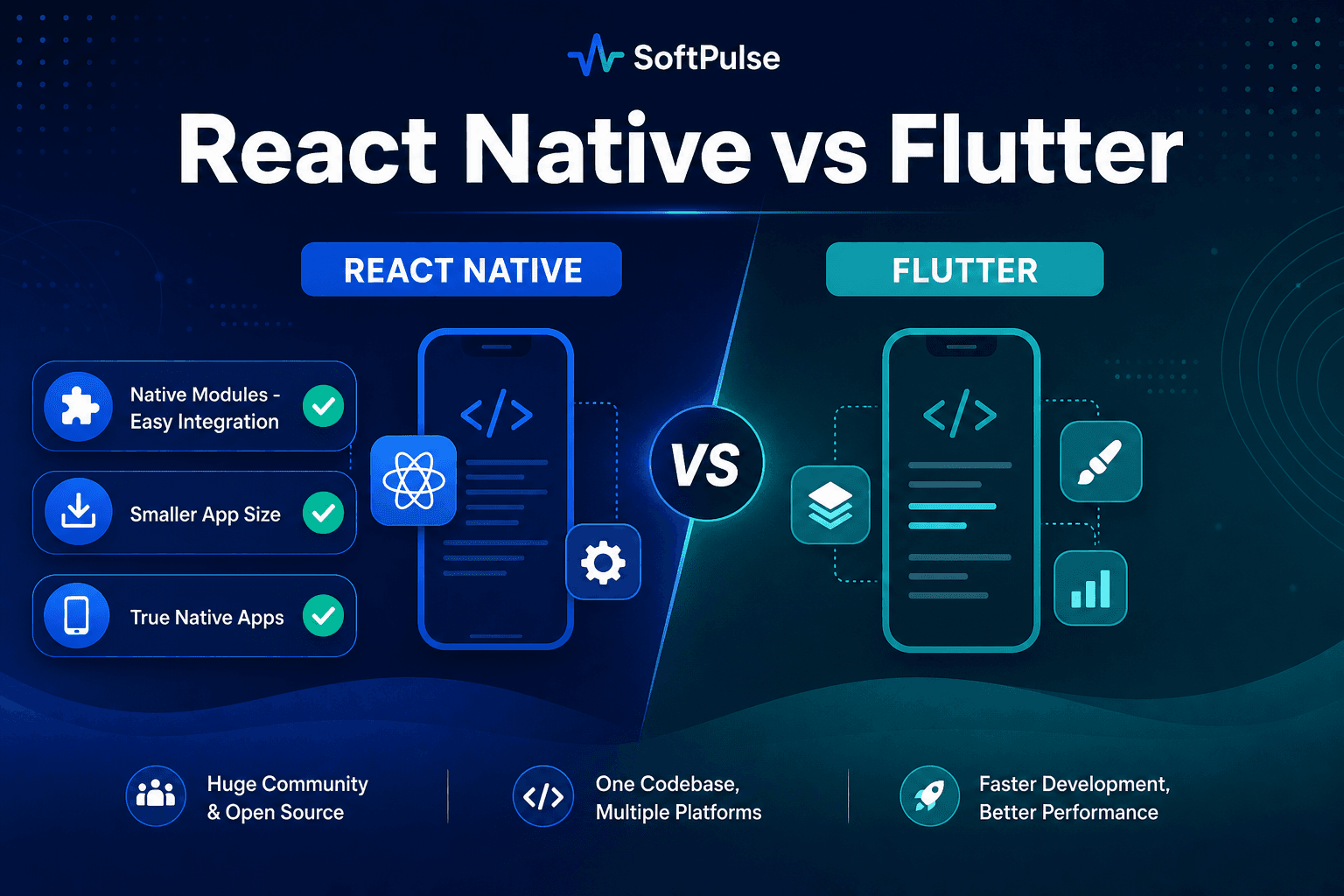
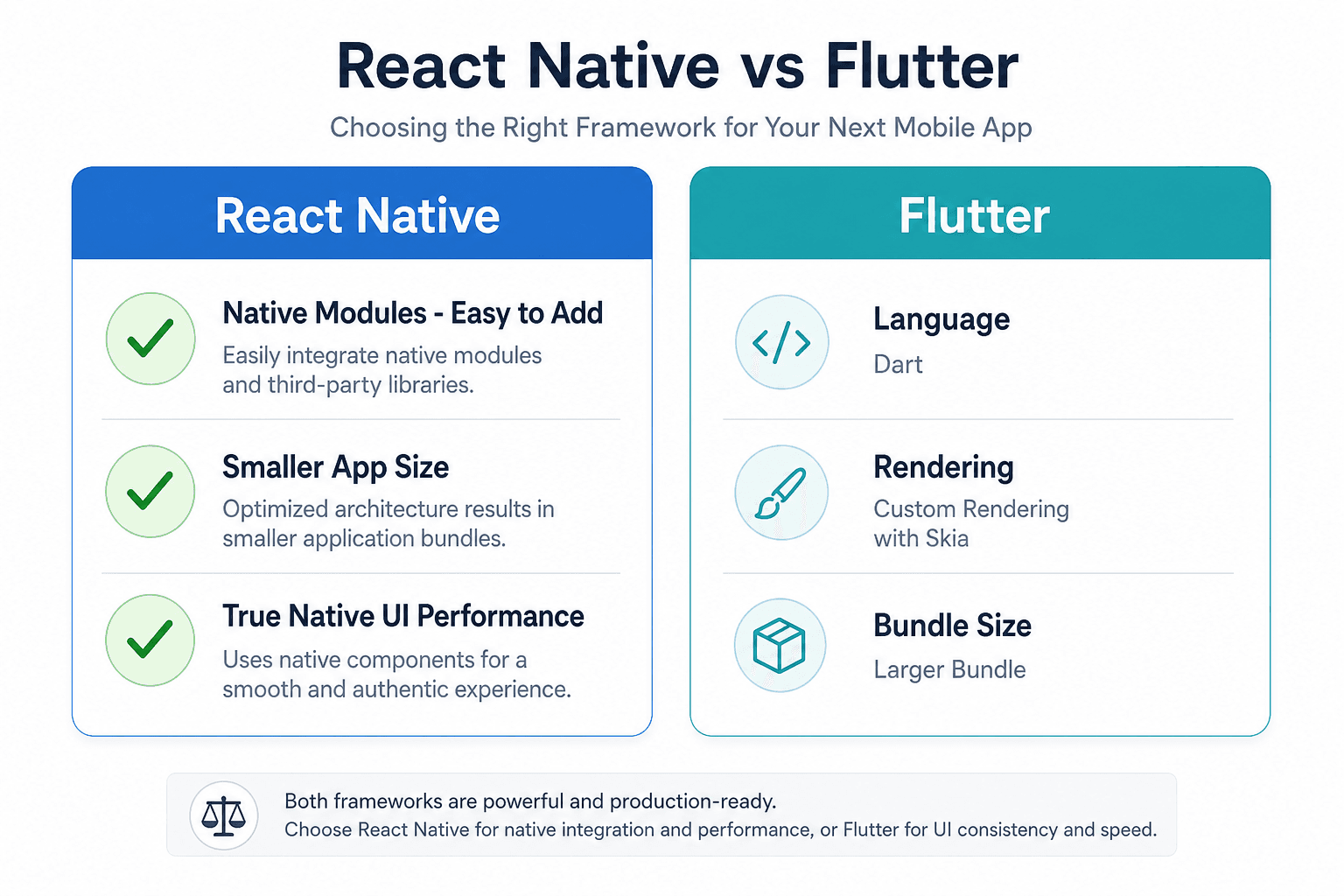
Let us break it down honestly — including three advantages React Native holds in production: true native apps, smaller app size, and native modules that are easy to integrate.
Three React Native Advantages Worth Knowing
Before diving into syntax and job markets, understand why teams at Soft Pulse ship client apps with React Native every week.
1. True native apps — not a fake mobile shell
React Native does not wrap your app in a WebView. It renders real native UI components — the same UIView on iOS and android.view widgets on Android that fully native apps use.
When a user taps a button, scrolls a list, or types in a text field, they interact with platform-native controls. The app feels like it belongs on the device because it is using the device's native building blocks.
Flutter, by contrast, draws everything on a custom canvas. That can look great, but it is a different approach — simulated UI rather than platform-native components.
2. Smaller app size
Production React Native apps typically ship with smaller download sizes than equivalent Flutter apps. Flutter bundles the Skia rendering engine and framework runtime, which adds weight to every build.
For users on limited mobile data in Pakistan — and for App Store conversion rates — a leaner APK or IPA matters. Our published apps on Google Play routinely stay lighter than Flutter counterparts we have benchmarked on similar feature sets.
| Typical release build | React Native | Flutter |
|---|---|---|
| Simple MVP | ~15–25 MB | ~20–35 MB |
| Feature-rich app | ~25–45 MB | ~35–60+ MB |
Exact numbers vary by assets and dependencies, but the pattern is consistent: React Native apps are generally smaller.
3. Native modules — easy to add when you need them
Need camera access, GPS, Apple Pay, fingerprint login, Bluetooth, or a proprietary SDK? React Native handles this through native modules — and the ecosystem makes it straightforward.
- Expo modules cover most common device features with simple JavaScript imports
- Community packages on npm solve integrations for maps, notifications, analytics, and payments
- Custom native code in Swift or Kotlin plugs in when a client needs something unique
// Example: using a native module via Expo (camera)
import { CameraView, useCameraPermissions } from 'expo-camera';

export function ScanScreen() {
  const [permission, requestPermission] = useCameraPermissions();
  // Native camera module — no WebView, no custom canvas
  return <CameraView style={{ flex: 1 }} />;
}
Flutter uses platform channels for the same job. Both can reach native APIs — but React Native's module catalog is larger, better documented for JavaScript developers, and easier to adopt when your team already writes TypeScript.
At Soft Pulse, we have integrated GPS tracking, push notifications, biometric auth, and payment gateways in React Native apps without maintaining separate Swift and Kotlin codebases for every screen.
What React Native Actually Is
React Native is a framework by Meta that lets you build mobile UIs with React components. Your JavaScript code talks to native platform APIs through a bridge (or the newer architecture with JSI for tighter integration).
A typical React Native screen looks familiar if you know React for the web:
import { View, Text, Pressable, StyleSheet } from 'react-native';

export function HomeScreen() {
  return (
    <View style={styles.container}>
      <Text style={styles.title}>Hello from React Native</Text>
      <Pressable style={styles.button}>
        <Text style={styles.buttonText}>Get Started</Text>
      </Pressable>
    </View>
  );
}

const styles = StyleSheet.create({
  container: { flex: 1, padding: 24, justifyContent: 'center' },
  title: { fontSize: 28, fontWeight: '700', marginBottom: 16 },
  button: { backgroundColor: '#2563eb', padding: 14, borderRadius: 12 },
  buttonText: { color: '#fff', textAlign: 'center', fontWeight: '600' },
});
Strengths in plain language:
- True native UI — real iOS and Android components, not a browser wrapper
- Smaller app bundles — lighter downloads for users on mobile data
- Native modules made easy — camera, GPS, payments, biometrics via Expo and npm
- Huge JavaScript ecosystem — npm packages, tutorials, Stack Overflow answers
- One language across web (React/Next.js), mobile (React Native), and backend (Node.js)
- Massive freelance market — clients on Fiverr and Upwork search for React Native daily
- Mature tooling — Expo simplified onboarding dramatically
- Used by Meta, Microsoft, Shopify, and thousands of startups
Trade-offs:
- Heavy custom animation may need Reanimated or native modules (well-supported)
- Occasional platform-specific UI tweaks for iOS vs Android polish
- New Architecture adoption is ongoing (performance already strong for most apps)
What Flutter Actually Is
Flutter is Google’s UI toolkit. Instead of mapping to native widgets, Flutter draws every pixel on a canvas using the Skia engine. Dart is the language.
Flutter’s widget tree feels different from React, but the idea — composable UI from small pieces — is similar:
import 'package:flutter/material.dart';

class HomeScreen extends StatelessWidget {
  const HomeScreen({super.key});

  @override
  Widget build(BuildContext context) {
    return Scaffold(
      body: Center(
        child: Column(
          mainAxisAlignment: MainAxisAlignment.center,
          children: [
            const Text('Hello from Flutter',
                style: TextStyle(fontSize: 28, fontWeight: FontWeight.w700)),
            const SizedBox(height: 16),
            ElevatedButton(onPressed: () {}, child: const Text('Get Started')),
          ],
        ),
      ),
    );
  }
}
Strengths in plain language:
- Pixel-perfect UI consistency on iOS and Android
- Excellent performance for animations and custom interfaces
- Strong official documentation and widget catalog
- Hot reload is fast and reliable
- Growing adoption in enterprise and Google-adjacent products
Trade-offs:
- Dart is less common outside Flutter — skills do not transfer to web/backend as easily as JavaScript
- Larger app bundle sizes — ships rendering engine with every build
- Draws custom UI instead of platform-native components
- Smaller freelance pool compared to React Native globally (though growing)
- Native device features require platform channels — workable, but a different workflow than React Native's module ecosystem
Performance: The Real Story
Forum arguments about performance are often exaggerated.
For typical business apps — forms, lists, authentication, API calls, maps, payments — both frameworks are fast enough. Users will not notice which bridge or engine you used if you build responsibly.
Where differences show up:
| Scenario | React Native | Flutter |
|---|---|---|
| True native UI components | Yes — platform native views | Custom-drawn widgets |
| Native module / device integration | Easy — Expo + npm ecosystem | Platform channels |
| App download size | Generally smaller | Generally larger |
| Complex animations at 60fps | Excellent with Reanimated | Excellent out of the box |
| Large lists with images | Good with FlatList optimization | Good with ListView.builder |
| Heavy computation | Native modules available | Dart isolates help |
| Startup time | Competitive | Competitive |
If you are building a game or a design-heavy product with constant 120fps animations, evaluate both with prototypes. For 90% of client apps we ship at Soft Pulse — delivery apps, wallets, booking systems — React Native performance has never been the bottleneck. Architecture and API design matter more.
Learning Curve: Which Is Easier?
There is no universal “easier.” It depends on what you already know.
If you know JavaScript or web development
React Native is the natural next step. Components, hooks, state, and props translate directly. You can reuse mental models from React.js training or web projects.
If you are a complete beginner
Both require learning programming fundamentals first — variables, functions, logic, debugging. Flutter’s docs are polished, but you still learn Dart from zero. React Native lets you tap into a massive ocean of free JavaScript content on YouTube and blogs.
If you care about visual design
Flutter’s widget system makes custom UI feel cohesive. Designers often love Flutter mockups because what you build looks identical on every device.
Our advice at Soft Pulse: pick the framework you can stick with for six months of serious practice. Switching every two weeks is what actually slows beginners down.
Job Market and Freelancing in Pakistan
This is where theory meets rent.
React Native
- More job postings mention JavaScript, React, or Node.js
- Fiverr and Upwork gigs frequently specify React Native
- Local software houses often have web teams that can transition to mobile
- MERN stack developers can upskill into mobile without a new language
Flutter
- Strong in companies that commit to Google’s ecosystem
- Popular in some enterprise and banking projects
- Growing community in Lahore, Karachi, and Islamabad
- Fewer “I need this done by Friday” freelance gigs compared to JS stacks
Neither choice locks you out of income. Portfolio quality beats framework religion. A published app with real screenshots will impress a client more than a certificate that says you watched 40 hours of videos.
When to Choose React Native
Choose React Native if:
- You want real native apps that use platform UI components users already know
- You need smaller app size for better downloads and store conversion
- You will integrate camera, GPS, payments, or custom SDKs via native modules
- You already know JavaScript or plan to learn full-stack web development
- You want maximum freelance opportunity on global platforms
- Your team has React web developers who can contribute to mobile
- You need to integrate quickly with Node.js backends and REST APIs
At Soft Pulse, we chose React Native for our mobile app development work because we get native-quality apps, leaner builds, and straightforward device integrations — all with one JavaScript team in Sargodha.
When to Choose Flutter
Choose Flutter if:
- UI consistency and custom design are your top priority
- You are building a product where Flutter is already the team standard
- You prefer Dart’s structure and are not interested in the JavaScript ecosystem
- Your app is animation-heavy or needs highly custom visual components
- You have a mentor or job waiting specifically for Flutter
Flutter is a legitimate, professional choice. We are not here to pretend it does not exist. We simply teach React Native because that is where our production experience and student outcomes are strongest.
Side-by-Side Comparison
| Factor | React Native | Flutter |
|---|---|---|
| Language | JavaScript / TypeScript | Dart |
| Created by | Meta | |
| UI approach | Real native components | Custom-rendered widgets |
| Native module integration | Easy — Expo + npm | Platform channels |
| App bundle size | Generally smaller | Generally larger |
| True native app feel | Yes — platform UI | Custom UI canvas |
| Web reuse | React skills transfer | Separate web story (Flutter Web exists) |
| Backend synergy | Excellent with Node.js | Neutral |
| Freelance demand (global) | Very high | Moderate, growing |
| Learning resources | Massive | Strong official docs |
| Hot reload | Yes (Expo) | Yes |
| App store publishing | Yes | Yes |
| Best for beginners from web | ★★★★★ | ★★★☆☆ |
| Best for pixel-perfect custom UI | ★★★★☆ | ★★★★★ |
What We See at Soft Pulse
We train students and hire developers in Sargodha. Patterns we notice:
Students who succeed pick one path, build three to four real projects, publish at least one app, and start applying for internships or freelance work within months — not years.
Students who struggle debate frameworks endlessly, collect tutorials, and never ship.
The framework is a vehicle. Shipping is the skill.
If you choose React Native, our React Native course in Sargodha takes you from HTML and JavaScript foundations through App Store publishing. If Flutter fits better, see our Flutter course in Sargodha. If you are still unsure, visit us for a free consultation — we will help you decide based on your background, not a generic blog ranking.
Migration and Switching Later
Already started Flutter and worried you picked wrong? Or halfway through React Native tutorials?
Relax. Mobile concepts transfer:
- Navigation patterns (stacks, tabs, drawers)
- State management thinking
- API integration and authentication flows
- App Store guidelines and release processes
- Debugging on real devices
Learning your second framework is faster than learning your first. The mistake is never starting.
Conclusion
React Native vs Flutter is not a battle with one champion. It is a decision about fit.
- Choose React Native for true native apps, smaller downloads, easy native modules, JavaScript synergy, and freelance volume.
- Choose Flutter for fully custom-drawn UI and teams standardized on Dart.
In Pakistan’s market in 2026, React Native offers a wider door for beginners seeking income quickly — especially when combined with web and backend skills. Flutter is excellent and worth learning if your circumstances point that way.
Whatever you choose, commit to building real apps. Soft Pulse exists to help students in Sargodha do exactly that — with mentor feedback, structured curriculum, and a software house that practices what it teaches.
Ready to start with React Native?
Explore our React Native development course, Flutter course, the React Native course guide, our complete IT courses in Sargodha pillar, browse IT training programs, or contact Soft Pulse to discuss your goals.
Written by Mahar Mudassar, Founder & CEO at Soft Pulse — software house and IT training institute in Sargodha, Pakistan.
Frequently Asked Questions
Is React Native better than Flutter in 2026?+
Which has more jobs in Pakistan — React Native or Flutter?+
Can I learn both React Native and Flutter?+
Does Soft Pulse teach Flutter?+
Which is easier for beginners with no coding background?+
Which framework do startups prefer?+
Are native modules hard to use in React Native?+
Is React Native a truly native app?+
Ready to Start Learning?
Join the React Native course at Soft Pulse in Sargodha — hands-on projects, mentor support, and a path to real developer careers.